

Add to a record page
Add Phone Assistant from Lightning App Builder. Configure the object in NumberForge Configuration first.
Users need read access to phone fields; Save requires edit access.
- Lightning App Builder → edit the record page (for example Contact).
- Drag Phone Assistant onto the layout.
- Save and activate for the target app and profiles.
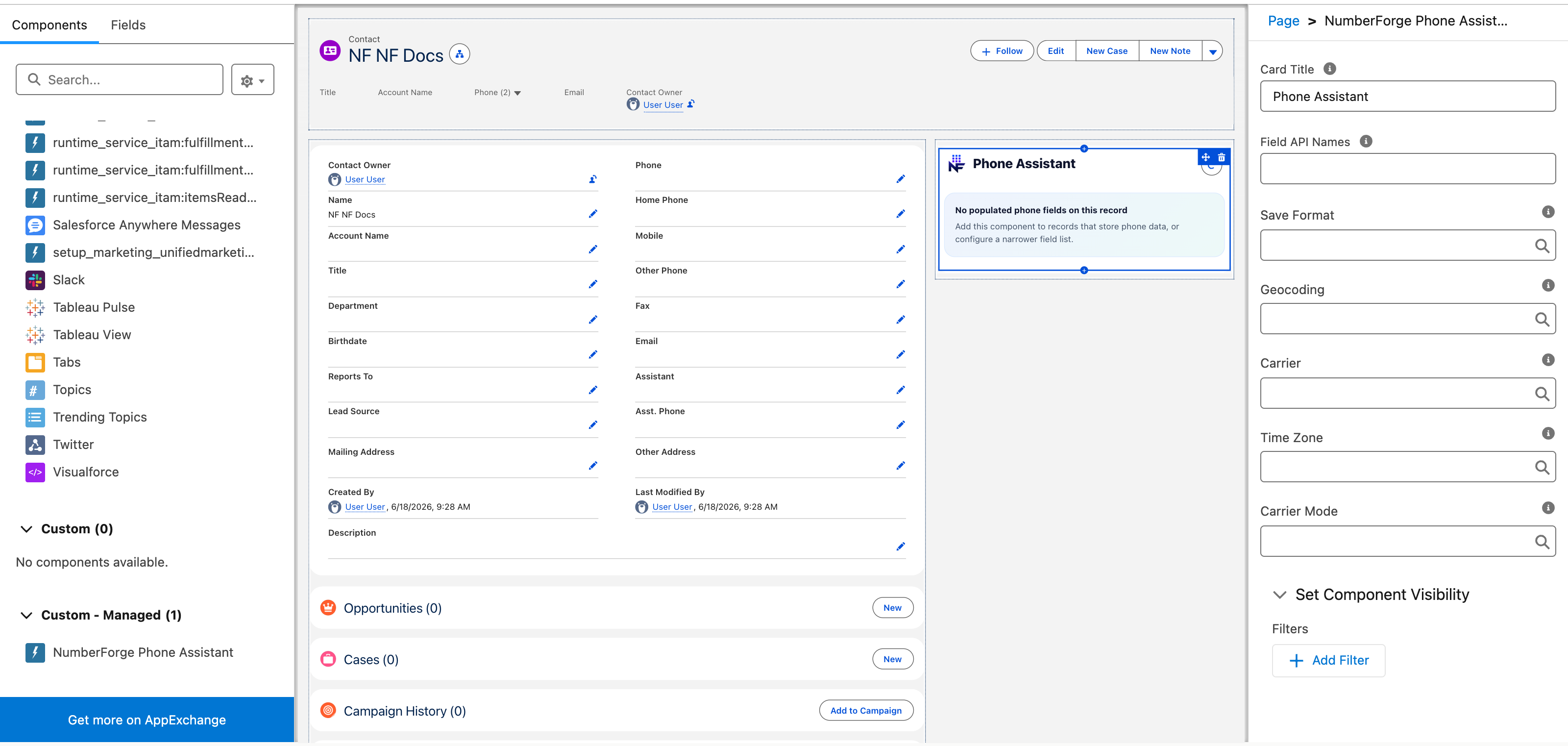
Properties
Section titled “Properties”| Property | Purpose |
|---|---|
| Title | Card header |
| Fields to show | Comma-separated limit; empty = all fields from field rules |
| Save format | Override E164 / International / National / RFC3966 |
| Carrier / location / time zone display | Auto (from rules) or force show/hide |
| Carrier mode | Safe only vs original carrier |
Person Accounts on Account pages.