

Object rules
Each object you add in NumberForge Configuration gets its own editor: a Rules active switch and a list of field rules (configured on the field rules page).
NumberForge does not pre-configure Contact, Lead, or Account. Add each object explicitly.
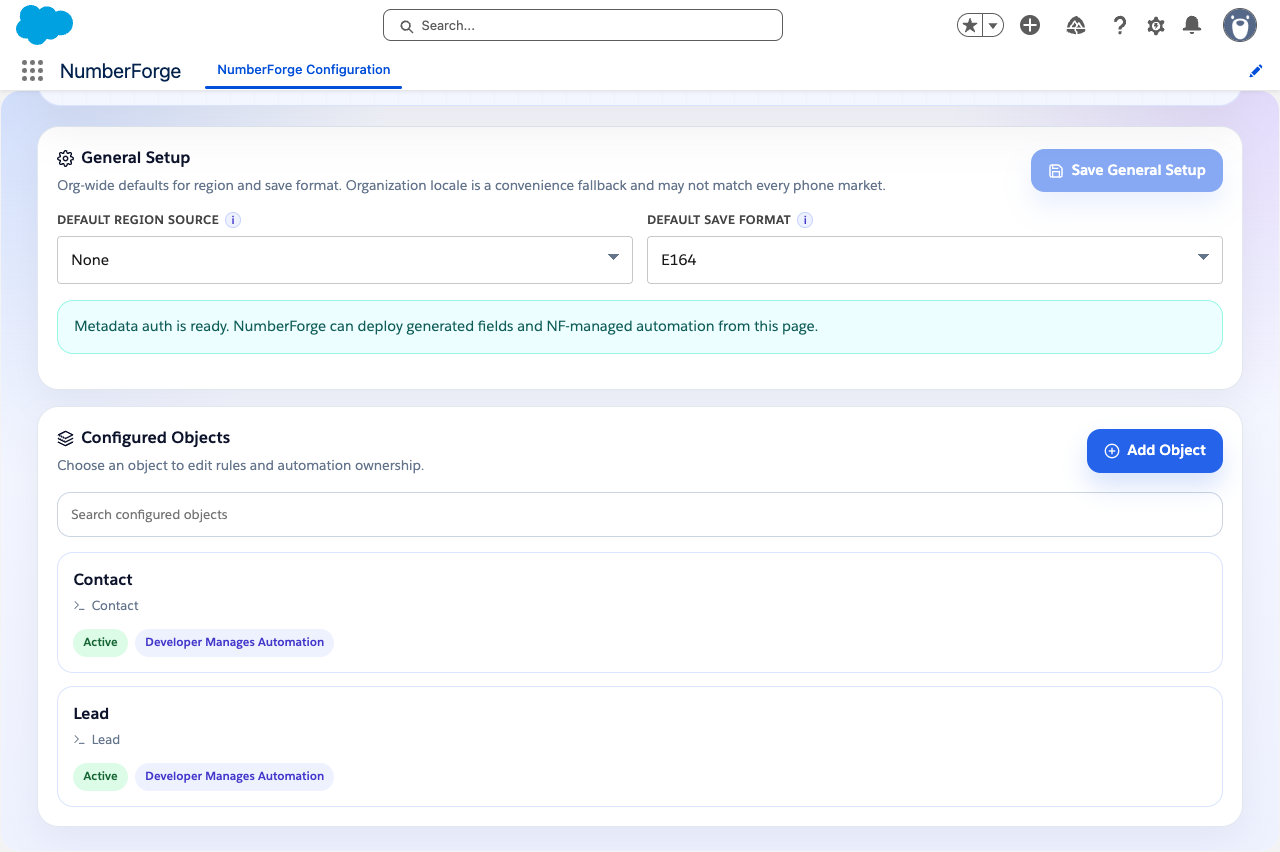
Configured objects
Section titled “Configured objects”The home screen lists every object you have set up. Use Add object to configure Contact, Lead, Account, or a custom object. Each row shows whether Rules active is on.
Add an object
Section titled “Add an object”Home screen → Add object → search (for example Contact).
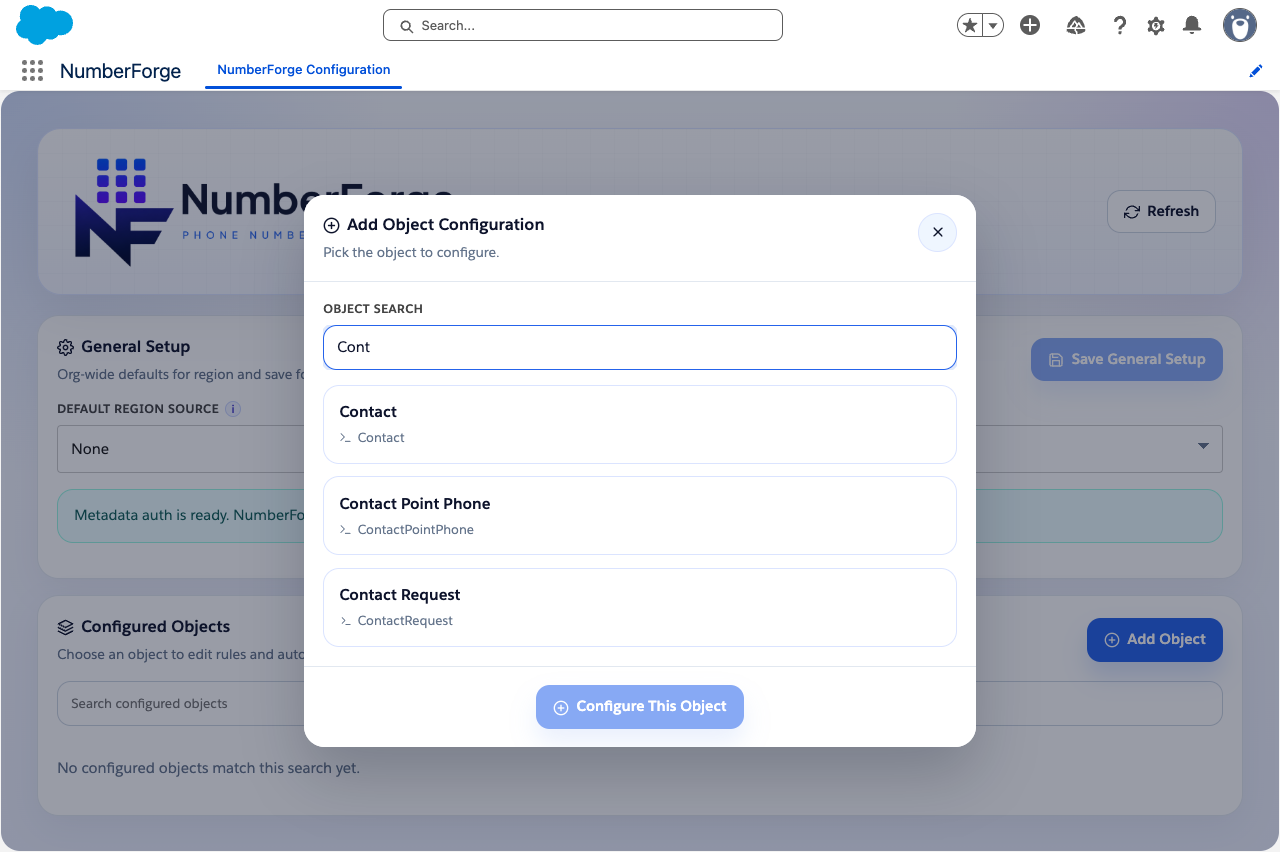
Click an object in the list to open its setup.
Object setup
Section titled “Object setup”Object setup allows you to configure the following object-level options before diving into field rules:
Rules active turns save-time processing on or off for the object. When inactive, field rules stay saved but do not run on record save.
Automation owner chooses whether NumberForge deploys and maintains the save trigger, or your team manages automation manually.
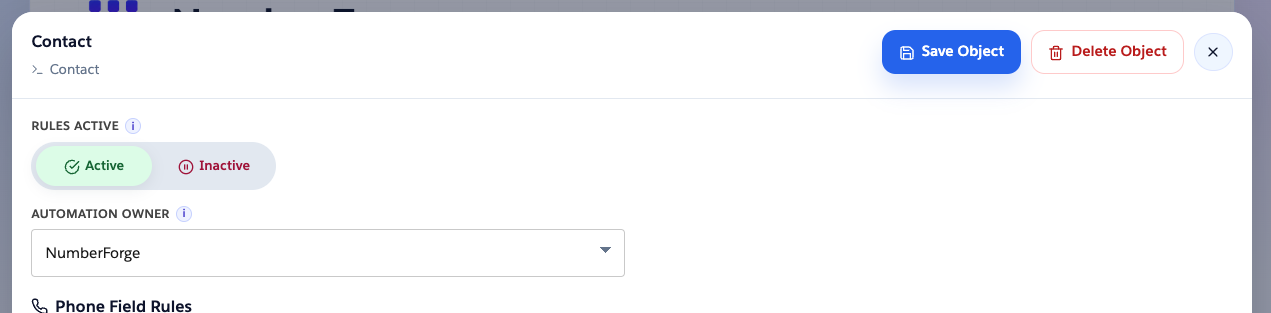
Turn Rules active on only after field rules are defined and Preview looks right. Finish with Saving a rule to deploy processing to the org.